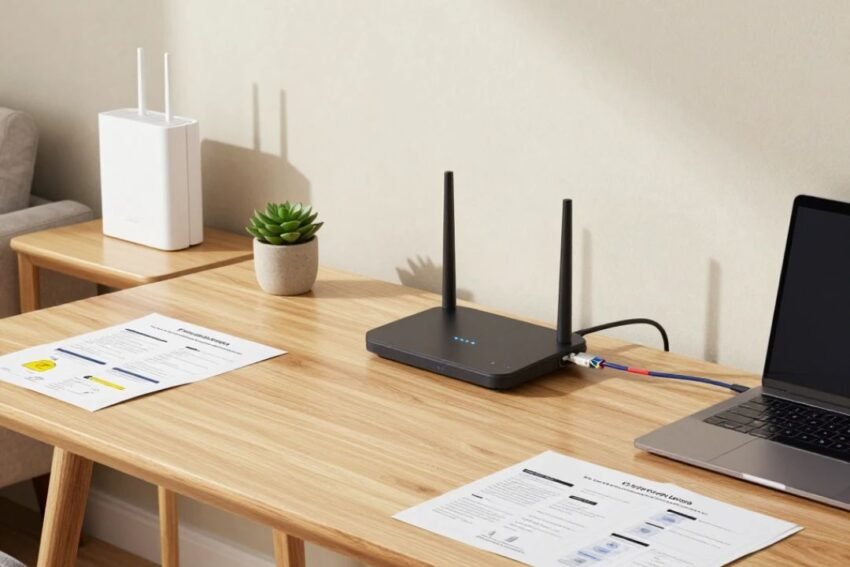
A reliable home network has become essential in modern life. Today, almost every household depends on internet connectivity for work, education, entertainment, communication, smart devices, and online services.
From video meetings and online classes to streaming movies, gaming, and controlling smart home devices, a strong home network ensures smooth digital experiences.
However, many users face problems such as slow internet speed, weak Wi-Fi signals, frequent disconnections, and poor device performance. These issues are often caused by incorrect network setup, outdated equipment, or poor placement of networking devices.
This complete Home Network Setup Guide explains how to create a faster, more secure, and reliable home network with practical tips for better connectivity.
What Is a Home Network?
A home network is a system that connects multiple devices inside a house so they can communicate with each other and access the internet.
A typical home network includes:
- Internet connection
- Modem
- Router
- Wi-Fi network
- Connected devices
Examples of devices connected to a home network include:
- Smartphones
- Laptops
- Smart TVs
- Gaming consoles
- Security cameras
- Smart appliances
- Tablets
A properly configured home network allows all these devices to work efficiently.
Why a Good Home Network Is Important
Modern households use many internet-connected devices at the same time.
A strong home network helps with:
- Faster browsing
- Smooth video streaming
- Better online gaming
- Reliable video calls
- Secure smart home management
Without a properly designed network, multiple devices can reduce performance and create connectivity problems.
Basic Components of a Home Network
Before setting up a home network, it is important to understand the main components.
1. Internet Connection
The internet connection is the foundation of your home network.
Common internet connection types include:
- Fiber internet
- Cable internet
- DSL
- Mobile broadband
Fiber internet usually provides higher speed and better reliability compared to older connection types.
2. Modem
A modem connects your home network to your internet service provider.
Its main job is to convert signals from your ISP into a connection that your devices can use.
Some internet providers provide modem-router combination devices.
3. Router
The router is one of the most important parts of a home network.
It manages communication between your devices and the internet.
A router provides:
- Wi-Fi connectivity
- Network management
- Device communication
- Security features
Choosing a good router can significantly improve your internet experience.
4. Wi-Fi Network
Wi-Fi allows wireless devices to connect to the internet without cables.
Modern Wi-Fi technologies include:
- Wi-Fi 5
- Wi-Fi 6
- Wi-Fi 6E
- Wi-Fi 7
Newer Wi-Fi standards provide better speed, performance, and support for multiple devices.
How to Set Up a Home Network Step by Step
Setting up a home network requires proper planning and configuration.
Step 1: Choose the Right Internet Plan
The first step is selecting an internet plan according to your needs.
Consider:
- Number of users
- Number of devices
- Online activities
- Required speed
For example:
- Basic browsing requires less speed
- Gaming and streaming require higher speed
- Smart homes need reliable connectivity
Step 2: Select the Right Router
A router is the heart of your home network.
When choosing a router, consider:
Speed
Choose a router that supports your internet speed.
Coverage Area
A larger home may require stronger coverage or additional devices.
Device Support
Modern routers should support many connected devices.
Security Features
Look for routers with:
- Firewall protection
- Automatic updates
- Strong encryption
Step 3: Place Your Router Correctly
Router placement has a major impact on Wi-Fi performance.
For better coverage:
- Place the router in a central location
- Keep it away from walls and metal objects
- Avoid placing it near electronic interference
- Keep it at an elevated position
Poor router placement is one of the most common causes of weak Wi-Fi signals.
Step 4: Configure Your Wi-Fi Settings
After installing the router, configure your wireless network.
Important settings include:
- Wi-Fi name (SSID)
- Password
- Security type
- Network frequency
Use strong security settings such as WPA3 when available.
Step 5: Connect Your Devices
Once Wi-Fi is configured, connect your devices.
Common connected devices include:
- Phones
- Computers
- Smart TVs
- Printers
- Gaming devices
Make sure each device receives a stable connection.
Improving Home Wi-Fi Performance
Many factors affect Wi-Fi performance.
Here are some useful tips for better connectivity.
1. Upgrade Your Router
Older routers may not support modern internet speeds.
Upgrading to a newer router can improve:
- Speed
- Coverage
- Security
- Device management
Modern routers with Wi-Fi 6 or Wi-Fi 7 provide better performance for busy homes.
2. Use Wi-Fi Mesh Systems
Large homes often have areas where Wi-Fi signals are weak.
A mesh Wi-Fi system solves this problem by using multiple connected devices.
Benefits include:
- Wider coverage
- Better signal strength
- Seamless movement between areas
Mesh systems are useful for large houses and offices.
3. Reduce Network Congestion
Too many connected devices can slow down your network.
To improve performance:
- Disconnect unused devices
- Prioritize important activities
- Use wired connections when possible
4. Use Ethernet Connections
Although Wi-Fi is convenient, wired connections can provide better performance.
Ethernet is useful for:
- Gaming computers
- Desktop PCs
- Smart TVs
- Network storage devices
Advantages include:
- Faster speed
- Lower latency
- More stable connection
5. Update Router Firmware
Router manufacturers regularly release updates.
Firmware updates improve:
- Security
- Performance
- Stability
Regular updates help keep your network protected.
6. Change Wi-Fi Channels
Nearby networks can interfere with your Wi-Fi signal.
Changing Wi-Fi channels can reduce interference and improve performance.
Modern routers can automatically select better channels.
Home Network Security Tips
A secure home network protects your personal information and connected devices.
Use a Strong Wi-Fi Password
Avoid simple passwords.
A strong password should include:
- Letters
- Numbers
- Special characters
Do not share your Wi-Fi password with unknown users.
Enable Network Encryption
Encryption protects data traveling through your network.
Recommended security options include:
- WPA3
- WPA2
Avoid using outdated security standards.
Change Default Router Settings
Many routers come with default usernames and passwords.
Change them immediately to improve security.
Enable Firewall Protection
A firewall helps block unauthorized access.
Most modern routers include built-in firewall features.
Create Guest Networks
A guest network allows visitors to use the internet without accessing your main network.
Benefits include:
- Better security
- Device protection
- Privacy control
Smart Home Network Setup
Smart devices require reliable connectivity.
Examples include:
- Smart lights
- Smart cameras
- Smart speakers
- Smart thermostats
For smart homes:
- Use a strong router
- Keep devices updated
- Secure IoT devices
- Separate important devices if possible
Common Home Network Problems and Solutions
Slow Internet Speed
Possible causes:
- Too many connected devices
- Old router
- Poor signal strength
Solutions:
- Restart router
- Upgrade equipment
- Improve placement
Weak Wi-Fi Signal
Solutions:
- Move router location
- Use mesh Wi-Fi
- Add Wi-Fi extenders
Frequent Disconnections
Possible reasons:
- Router issues
- Network interference
- Outdated firmware
Solutions:
- Update router
- Check cables
- Replace old equipment
High Latency
High latency affects:
- Online gaming
- Video calls
- Real-time applications
Solutions:
- Use Ethernet
- Reduce network traffic
- Upgrade router
Advanced Home Networking Features
Modern home networks offer advanced features.
Quality of Service (QoS)
QoS allows users to prioritize important activities.
Examples:
- Video calls
- Gaming
- Streaming
This improves performance during heavy usage.
Parental Controls
Many routers provide parental control features.
They allow users to:
- Limit screen time
- Block websites
- Monitor usage
Network Monitoring
Advanced routers provide monitoring tools.
Users can check:
- Connected devices
- Data usage
- Network performance
Future of Home Networking
Home networking technology continues improving.
Future trends include:
- Wi-Fi 7 adoption
- AI-powered routers
- Faster fiber internet
- Better smart home integration
- Improved network security
Artificial intelligence will help networks automatically detect problems and optimize performance.
Frequently Asked Questions (FAQs)
What is the best router for home use?
The best router depends on your internet speed, home size, and number of connected devices.
How can I improve my home Wi-Fi speed?
You can improve speed by upgrading your router, improving placement, reducing interference, and using modern Wi-Fi technology.
Is Ethernet better than Wi-Fi?
Ethernet usually provides faster and more stable connections, especially for gaming and high-performance devices.
How do I secure my home network?
Use strong passwords, enable encryption, update firmware, and change default router settings.
Do I need a mesh Wi-Fi system?
Mesh Wi-Fi is useful for large homes or areas with weak wireless coverage.
Conclusion
A well-designed home network provides faster, safer, and more reliable internet connectivity. With the right router, proper placement, strong security settings, and modern networking technology, users can enjoy better online experiences.
As more smart devices become part of everyday life, having a powerful home network will become even more important. By following the tips in this guide, you can create a stable and secure network that supports work, entertainment, education, and smart home technology.
A strong home network is not just about internet speed; it is about creating a connected environment where all devices work smoothly together.