Introduction
Artificial Intelligence (AI) has rapidly transformed the way people work, communicate, and manage their daily tasks. From automating repetitive work to helping with research and decision-making, AI tools are becoming essential for improving productivity in both personal and professional environments.
Whether you are a student, freelancer, entrepreneur, or corporate employee, learning how to use AI effectively can save time, increase efficiency, and reduce stress. Instead of spending hours on routine tasks, AI allows you to focus on creativity, strategic thinking, and high-value work.
In this article, we will explore practical AI productivity tips that can help you work smarter, manage your time better, and achieve more in less time.
Understanding AI Productivity
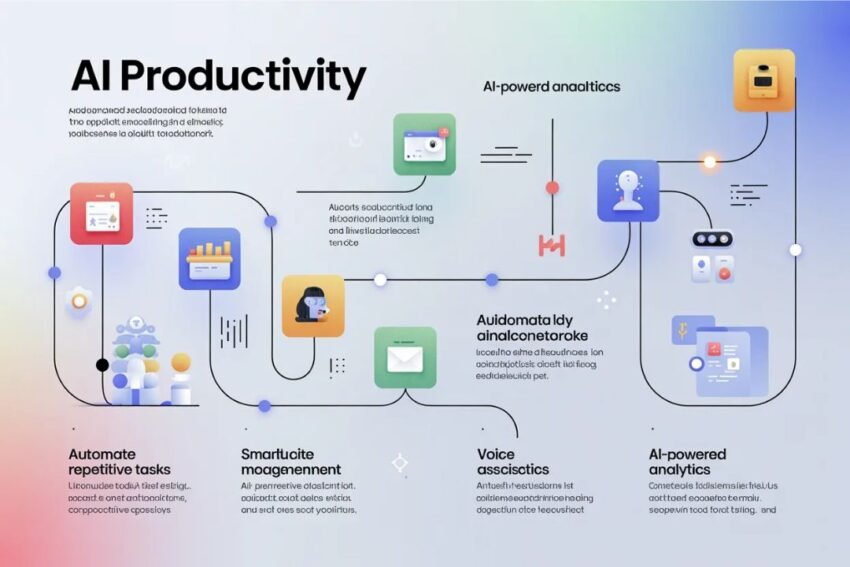
AI productivity refers to using artificial intelligence tools and technologies to complete tasks faster, smarter, and more efficiently. AI systems can analyze large amounts of data, generate content, automate workflows, and provide insights that would normally take humans much longer to produce.
Some of the most common productivity improvements provided by AI include:
- Task automation
- Smart scheduling
- Content creation assistance
- Data analysis
- Decision support
- Workflow optimization
By integrating AI tools into your daily routine, you can dramatically improve how you work and manage your time.
Tip 1: Automate Repetitive Tasks
One of the biggest productivity advantages of AI is automation. Many tasks people perform every day are repetitive and time-consuming. AI tools can handle these tasks automatically.
Examples of tasks that can be automated include:
- Email responses
- Data entry
- Social media posting
- Customer support chats
- File organization
Automation allows you to focus on more important activities that require creativity and human judgment.
Tip 2: Use AI for Writing and Content Creation
AI writing assistants can help generate ideas, outlines, articles, emails, and reports quickly. This can significantly reduce the time required to produce high-quality content.
Benefits include:
- Faster content generation
- Grammar and style improvement
- Idea brainstorming
- Editing and proofreading
AI does not replace human creativity, but it acts as a powerful assistant that speeds up the writing process.
Tip 3: Improve Time Management with AI
Time management is a major factor in productivity. AI scheduling tools can help you organize your day more effectively.
AI can:
- Suggest optimal meeting times
- Prioritize tasks
- Set reminders
- Analyze how you spend your time
By understanding your work patterns, AI tools can help create schedules that maximize focus and efficiency.
Tip 4: Use AI for Research and Information Gathering
Research can take hours or even days when done manually. AI can analyze huge amounts of information quickly and provide summarized insights.
This is useful for:
- Academic research
- Market analysis
- Business strategy
- Learning new skills
Instead of reading hundreds of pages, AI tools can provide quick summaries and key points.
Tip 5: Use AI for Data Analysis
Businesses and professionals often deal with large datasets. AI tools can analyze this data much faster than humans.
AI can help with:
- Identifying trends
- Predicting outcomes
- Generating reports
- Visualizing data
This makes decision-making faster and more accurate.
Tip 6: Personalize Your Workflow
AI systems can learn your preferences and adapt to your workflow. Over time, AI tools become smarter and more helpful.
For example, AI can:
- Recommend frequently used documents
- Suggest faster ways to complete tasks
- Provide personalized productivity insights
This creates a customized working environment that supports your goals.
Tip 7: Reduce Mental Load
AI helps reduce mental stress by handling many routine decisions and tasks.
For example, AI assistants can:
- Remind you of deadlines
- Organize your calendar
- Suggest next steps in projects
When your mind is not overloaded with small tasks, you can focus on strategic thinking and creativity.
Tip 8: Use AI Chatbots for Customer Support
Businesses can improve productivity by using AI chatbots to handle customer inquiries.
Chatbots can:
- Answer common questions
- Provide product information
- Process simple requests
- Operate 24/7
This allows human employees to focus on complex customer issues.
Tip 9: Improve Learning with AI
AI can also help you learn faster and more effectively. AI-powered learning platforms adapt to your learning style and provide personalized recommendations.
Benefits include:
- Customized learning paths
- Instant feedback
- Smart practice exercises
- Knowledge tracking
This makes skill development faster and more efficient.
Tip 10: Combine Multiple AI Tools
The best productivity results often come from combining multiple AI tools.
For example, you can use:
- AI for writing
- AI for scheduling
- AI for automation
- AI for research
When these tools work together, they create a powerful productivity ecosystem.
Challenges of Using AI for Productivity
While AI offers many benefits, it also comes with some challenges.
Possible challenges include:
- Over-reliance on automation
- Privacy concerns
- Learning how to use new tools
- Maintaining human creativity
The key is to use AI as an assistant rather than a replacement for human intelligence.
The Future of AI Productivity
AI technology is improving rapidly. In the future, AI will likely become an even more powerful productivity partner.
Future developments may include:
- More intelligent virtual assistants
- Fully automated workflows
- Advanced predictive systems
- Personalized AI work environments
As AI evolves, people who learn to use these tools effectively will have a significant productivity advantage.
Frequently Asked Questions (FAQs)
1. What are AI productivity tools?
AI productivity tools are software applications that use artificial intelligence to help people complete tasks faster and more efficiently. These tools can assist with writing, scheduling, data analysis, research, and workflow automation.
2. How can AI improve productivity?
AI improves productivity by automating repetitive tasks, analyzing large amounts of data quickly, generating content, and helping with time management. This allows individuals and businesses to focus on more important and creative work.
3. Are AI productivity tools difficult to use?
Most AI productivity tools are designed to be user-friendly. Many tools have simple interfaces that allow users to start using them without advanced technical knowledge.
4. Can AI replace human workers?
AI is mainly designed to assist humans rather than replace them. It handles repetitive and time-consuming tasks, while humans focus on creativity, problem-solving, and decision-making.
5. What are some common uses of AI in productivity?
Common uses of AI include writing assistance, email management, scheduling meetings, analyzing business data, creating reports, and automating customer support.
6. Is AI safe to use for work tasks?
Most AI tools are safe if they are used responsibly and with trusted platforms. However, users should be careful when sharing sensitive or confidential information with AI systems.
7. Do AI tools save time?
Yes, AI tools can save a significant amount of time by completing tasks that would normally take hours in just a few minutes.
Conclusion
Artificial Intelligence is becoming an essential tool for improving productivity in the modern world. By automating repetitive tasks, assisting with writing and research, and helping with time management, AI allows individuals and businesses to work smarter and achieve better results.
The key to maximizing productivity with AI is learning how to use these tools effectively. Instead of replacing human effort, AI works best as a supportive assistant that enhances creativity, efficiency, and decision-making.
As AI technology continues to evolve, those who adopt and understand these tools will gain a significant advantage in their work and daily life. By applying the AI productivity tips discussed in this article, you can save time, increase efficiency, and focus on what truly matters.