In today’s fast-paced digital business environment, repetitive tasks can consume a large portion of employees’ time and reduce productivity. Tasks such as data entry, email notifications, report generation, and workflow approvals often require manual effort, which increases the risk of human error and slows down operations.
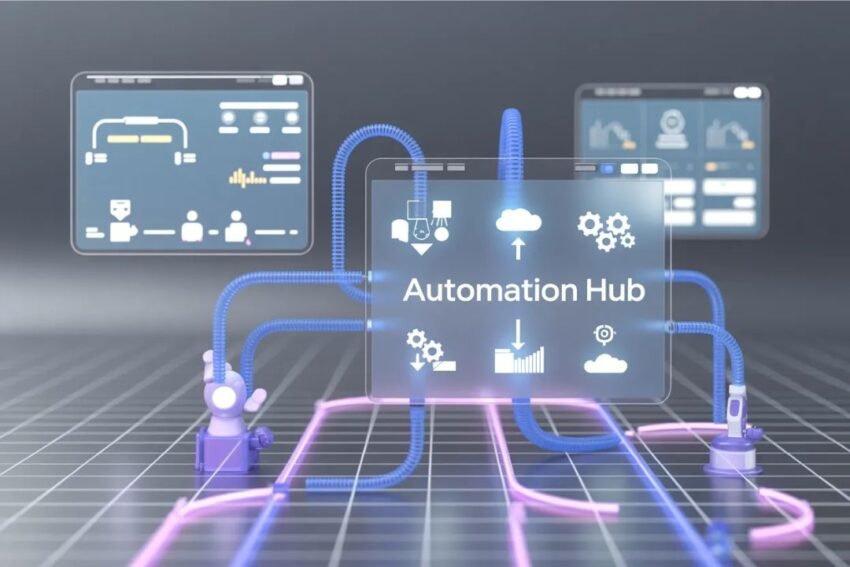
This is where automation platforms play a crucial role. These tools help businesses automate routine tasks, connect software applications, and create efficient workflows that run automatically. By implementing automation platforms, organizations can save time, reduce operational costs, and allow teams to focus on strategic work.
Modern automation tools combine workflow automation, robotic process automation (RPA), and artificial intelligence (AI) to simplify complex processes across departments. These platforms are now widely used in marketing, finance, HR, customer support, and IT operations.
This article provides a complete guide to powerful automation platforms that simplify repetitive tasks, their key features, benefits, and the top tools businesses use in 2026.
What Are Automation Platforms?
Automation platforms are software solutions designed to automate repetitive processes and workflows across multiple applications and systems.
Most automation tools operate using triggers and actions:
- A trigger is an event that starts the automation.
- An action is the task performed automatically after the trigger occurs.
For example:
- When a customer submits a form → add them to CRM → send a welcome email.
- When a support ticket is created → assign it to an agent → notify the team.
- When an invoice is received → extract data → update accounting software.
Workflow automation helps organizations speed up processes, reduce manual errors, and allow employees to focus on high-value work rather than routine tasks.
Why Businesses Need Automation Platforms
Automation is no longer optional for businesses aiming to stay competitive. Companies across industries are adopting automation tools for several reasons.
1. Time Savings
Automation platforms eliminate repetitive tasks that would otherwise take hours of manual work.
2. Increased Accuracy
Automated processes follow predefined rules, reducing mistakes caused by manual data entry.
3. Improved Productivity
Employees can focus on creative, strategic, and decision-making tasks rather than routine operations.
4. Faster Workflow Execution
Automation tools instantly move tasks between systems and departments.
5. Scalability
Businesses can handle larger workloads without increasing staff.
Key Features of Powerful Automation Platforms
When selecting an automation platform, businesses should consider several important features.
1. No-Code or Low-Code Builders
Modern automation tools allow users to create workflows without programming knowledge.
2. App Integrations
Automation platforms connect with CRM systems, marketing tools, databases, and communication apps.
3. Drag-and-Drop Workflow Design
Visual builders allow users to easily design automation processes.
4. AI-Powered Automation
Many platforms now use AI to analyze data, generate insights, and automate decision-making.
5. Real-Time Monitoring
Automation dashboards help businesses monitor workflow performance and identify issues.
Powerful Automation Platforms to Simplify Repetitive Tasks
Here are some of the most widely used automation tools helping businesses streamline operations in 2026.
1. Zapier
Zapier is one of the most popular automation platforms for connecting apps and automating workflows without coding.
It allows users to create automated workflows called “Zaps”, which connect different software tools. For example, a Zap can automatically save email attachments to cloud storage or update a CRM when a new lead appears.
Key Features
- 5,000+ app integrations
- No-code automation builder
- Multi-step workflows
- Prebuilt automation templates
Many users report saving 10+ hours per week by automating repetitive tasks using Zapier.
Best For
Startups, freelancers, and small businesses looking for simple automation.
2. Microsoft Power Automate
Microsoft Power Automate is a powerful workflow automation platform designed for organizations using the Microsoft ecosystem.
It integrates seamlessly with tools such as Microsoft Teams, SharePoint, and Office 365.
Key Features
- Robotic Process Automation (RPA)
- AI-powered automation workflows
- Natural language automation creation
- Integration with Microsoft apps
Power Automate also includes AI tools that allow users to describe a workflow in plain language and automatically generate the automation.
Best For
Organizations already using Microsoft technologies.
3. UiPath
UiPath is a leading robotic process automation (RPA) platform used by large enterprises.
The platform uses software robots to perform repetitive tasks such as data extraction, document processing, and system integration.
Key Features
- AI-powered automation bots
- Process mining tools
- Workflow orchestration engine
- Enterprise-level security
UiPath combines software robots, AI agents, and orchestration tools to automate complex enterprise workflows.
Best For
Large organizations with complex automation needs.
4. PhantomBuster
PhantomBuster is a cloud-based automation platform focused on sales and marketing automation.
It helps businesses automate tasks such as lead generation, data extraction, and outreach campaigns.
Key Features
- 130+ prebuilt automation tools
- Automated lead scraping
- Multi-step marketing workflows
- Cloud-based automation
The platform enables growth teams to automate prospecting and outreach without coding.
Best For
Marketing teams and sales automation.
5. Coupler.io
Coupler.io is a no-code data automation platform used for data integration and reporting.
It automatically transfers data between business applications and analytics platforms.
Key Features
- Automated data collection
- Scheduled data synchronization
- Integration with analytics tools
- No-code setup
Coupler.io is commonly used for marketing analytics, reporting automation, and business intelligence dashboards.
Best For
Data teams and business analysts.
6. AI Automation Agents (Next-Generation Tools)
The newest generation of automation platforms includes AI agents capable of performing tasks independently.
These tools can manage workflows such as research, customer support, and scheduling without continuous human supervision.
For example, autonomous AI agents like Manus are designed to plan and execute tasks with minimal human input.
Key Features
- AI-powered task execution
- Natural language instructions
- Autonomous workflow planning
- Continuous learning capabilities
Best For
Advanced automation and AI-driven workflows.
Real-World Examples of Automation
Automation platforms are used across nearly every business department.
Marketing Automation
Examples include:
- Email marketing campaigns
- Social media scheduling
- Lead generation workflows
- CRM updates
Sales Automation
Sales teams automate:
- Lead scoring
- Follow-up emails
- Pipeline updates
Customer Support Automation
Automation tools can handle:
- Ticket routing
- Chatbot responses
- Customer feedback collection
HR Automation
Human resources teams automate:
- Employee onboarding
- Payroll processing
- Leave approvals
Finance Automation
Finance departments automate:
- Invoice processing
- Expense tracking
- Financial reporting
Benefits of Automating Repetitive Tasks
Businesses implementing automation platforms often experience significant improvements.
1. Higher Productivity
Automation reduces time spent on manual work.
2. Reduced Costs
Organizations save money by minimizing repetitive labor.
3. Improved Accuracy
Automated workflows reduce errors.
4. Faster Operations
Processes run instantly without manual intervention.
5. Better Employee Satisfaction
Employees can focus on meaningful work instead of repetitive tasks.
Future Trends in Automation Platforms
Automation technology continues to evolve rapidly. Several trends are shaping the future.
AI-Driven Automation
AI is making automation smarter by enabling decision-making capabilities.
Hyperautomation
Hyperautomation combines AI, machine learning, and RPA to automate end-to-end business processes.
Autonomous AI Agents
Future platforms will rely on AI agents capable of completing tasks independently.
Natural Language Automation
Users will be able to create workflows simply by describing processes in plain language.
How to Choose the Right Automation Platform
Before selecting an automation tool, businesses should consider several factors.
Business Needs
Identify which processes you want to automate.
Integration Requirements
Ensure the platform integrates with your existing tools.
Ease of Use
Choose platforms with simple interfaces if your team has limited technical expertise.
Scalability
Select tools that can grow with your organization.
Security
Ensure the platform meets industry compliance standards.
Final Thoughts
Automation platforms are transforming the way businesses operate by simplifying repetitive tasks and streamlining workflows.
Tools such as Zapier, Microsoft Power Automate, UiPath, PhantomBuster, and Coupler.io allow organizations to automate everyday tasks, integrate applications, and improve productivity.
As automation technology continues to evolve with AI and intelligent agents, businesses that adopt automation today will gain a significant competitive advantage in the future.
By implementing the right automation platform, companies can save time, reduce errors, and focus on innovation and growth instead of repetitive work.